XP Deus II - Update 4.2
 Firmware 4.0 for the XP Deus II is a major advance in metal detection. It uses true multi-channel signal processing and new audio functions. This provides more real-time information. This improves target detection, increases efficiency and offers advantages even on heavily searched sites.
General classification
- Biggest update since the introduction of multi-frequency technology
- Not just a stability update, but a fundamental innovation in signal evaluation
- Focus: More and better information directly via audio instead of via the display
Core innovation: Multi-Processing (multi-processing)
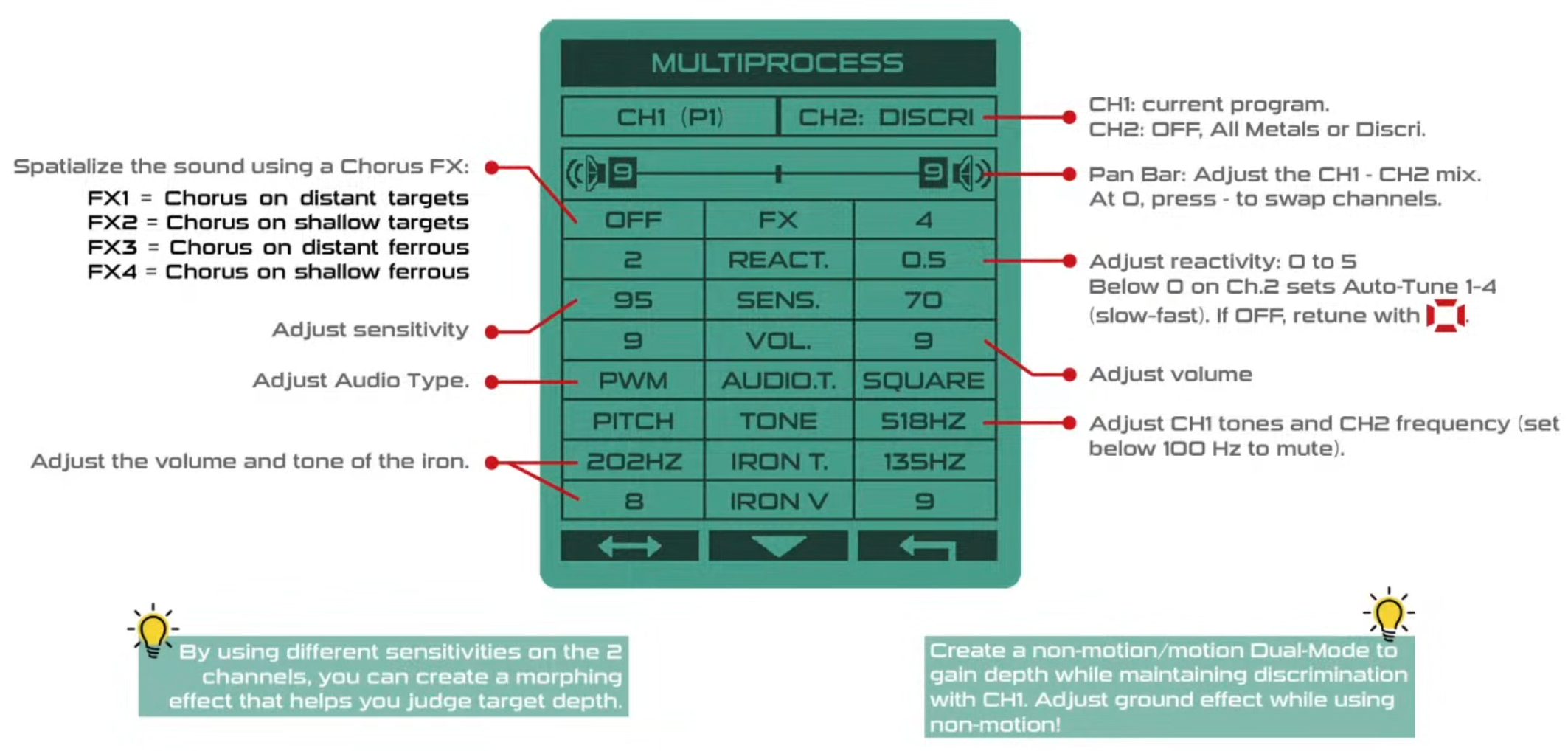
- Two independent detection channels simultaneously with one coil sweep
- Both channels use:
- the same coil
- the same frequencies
- Different settings possible per channel:
- Reactivity
- Sensitivity
- Audio characteristics
- Iron filtering
- Motion / Non-Motion
- Output via two separate audio channels → Stereo headphones required
Key new features
1. Double Reactivity (Depth + Separation)
- Simultaneous operation of:
- slow, deep channel (maximum depth)
- fast channel (best separation in iron/trash)
- Immediate audio assessment:
- Target depth
- Separation
- No switching or re-checking required
2. Morphing Audio
- Dynamic tone change depending on target distance and signal quality
- Distinguishable audibly for:
- deep iron
- half/borderline iron
- good targets
- Advantages:
- Depth estimation without looking at the display
- Higher reliability in iron-rich soils
3. Stereo chorus effect for deep targets
- Only applied to weak/deep signals
- Deep objects receive spatial "presence"
- Effect:
- Better perception of whisper signals
- More finds in already heavily searched sites
4. Dual-axis detection (Motion + Non-Motion)
- Combination of:
- Discrimination mode (motion-dependent)
- All metal non-motion mode
- Use cases:
- Clear small areas systematically
- Relic and archaeological searching
- Verification of deep/unclear signals
5. Stereo panning (freely configurable)
- User can spatially assign audio:
- centered
- shifted left/right
- Examples:
- good targets → center
- iron → side
- alternative audio hints → separated
- Advantage:
- faster perception
- lower cognitive load
- faster decisions
6. New audio mode "Low Square" (also for mono)
- Bass-emphasized
- low frequency
- can be well combined with other tones
- available for all Deus II users, even without stereo headphones
Performance & Compatibility
- No reduction in performance
- No reduced battery life
- All existing coils compatible
- Firmware free of charge
Release information
- Release date: January 23
- Download via XP update server
- Update required for:
- Remote control or WS6
- Headphones
- Coils do not require an update
- Note:
- User programs will be deleted → backup recommended in advance
Overall assessment
- Paradigm shift in information presentation (audio instead of display)
- Benefits:
- higher efficiency
- better target evaluation
- better performance in iron-rich and "searched" sites
- Sets a new standard for firmware updates for metal detectors
XP stereo headphones overview


-----------

Visit the XP website, create an account and start the update.
New negative Silencer settings + faster target identification:
Certain large iron objects or objects with unusual shapes are often more difficult to identify. By increasing the Silencer setting, you can filter out more residual spikes from these iron targets.
With version 3, XP offers the ability to reduce the Silencer to negative values in order to highlight good targets that would otherwise be masked by nearby iron. In combination with a more responsive Target ID (T.ID) display, this allows you to find more valuable targets in iron-rich ground. However, be aware that hard to distinguish iron can also produce high tones more frequently.
Guide for Silencer settings:
-3 to -1 | Excellent performance in iron-rich ground; reduces masking. Very responsive T.ID. Iron materials may generate more high-frequency signals.
0 to 3 | Good compromise for improved iron rejection. For better results with larger or irregular iron objects (e.g. cartridges, rings), the rejection of bottle caps (B.Caps) should be increased.
4 to 7 | Strong iron filtering.
Ground/IRON-Break
Some iron materials may partially fall into the negative ground-ID range due to corrosion or local mineralization. This can lead to audio dropouts and make clear identification of iron objects more difficult as their low tones are cut off.
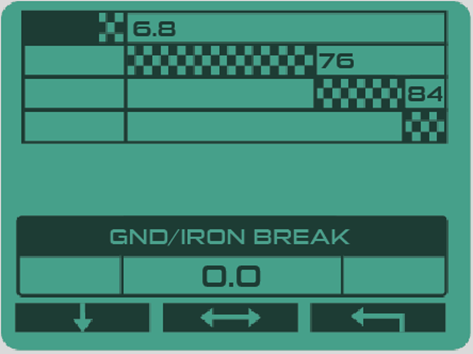
With the Ground/IRON Break setting, you can fine-tune the threshold at which low tones are heard and thus increase efficiency when identifying iron targets.
GND/IRON Break from -1 to -5: More low tones are heard for iron objects. Rounded iron nail heads, which are often difficult to distinguish, are easier to recognize.
GND/IRON-Break at -6/-6.2: With this setting, ferrites are still rejected, but most meteorites, bricks and ceramics can be detected.
If the ground produces excessively loud low tones, you should perform a ground balance to reduce them.
How to access this setting:
Go to the MULTI TONES screen, press the top left button on your remote until the Ground/IRON Break appears, and then adjust it from 0.0 to -6.4.
New "PULSE" audio type for the Xtrem Hunter:
This new audio type offers improved audio dynamics and better detection of deep targets. Note: this function is only available when the wireless headphones are used.
Please note that you must update your WS6, WSAII and WSAII XL wireless headphones to the same version as the remote, otherwise they will not work. Select the "WS6 or WSAII" tab at the top of the updater page. The WSAII and WSAII XL use the same updater file/tab. Follow the updater instructions to put your headphones in update mode.
USER-DEFINED PROGRAMS:
If you have created user-defined programs, we recommend that you note these down before updating, as they will be deleted during the update!
We are pleased to present version 2.0 for Deus 2.
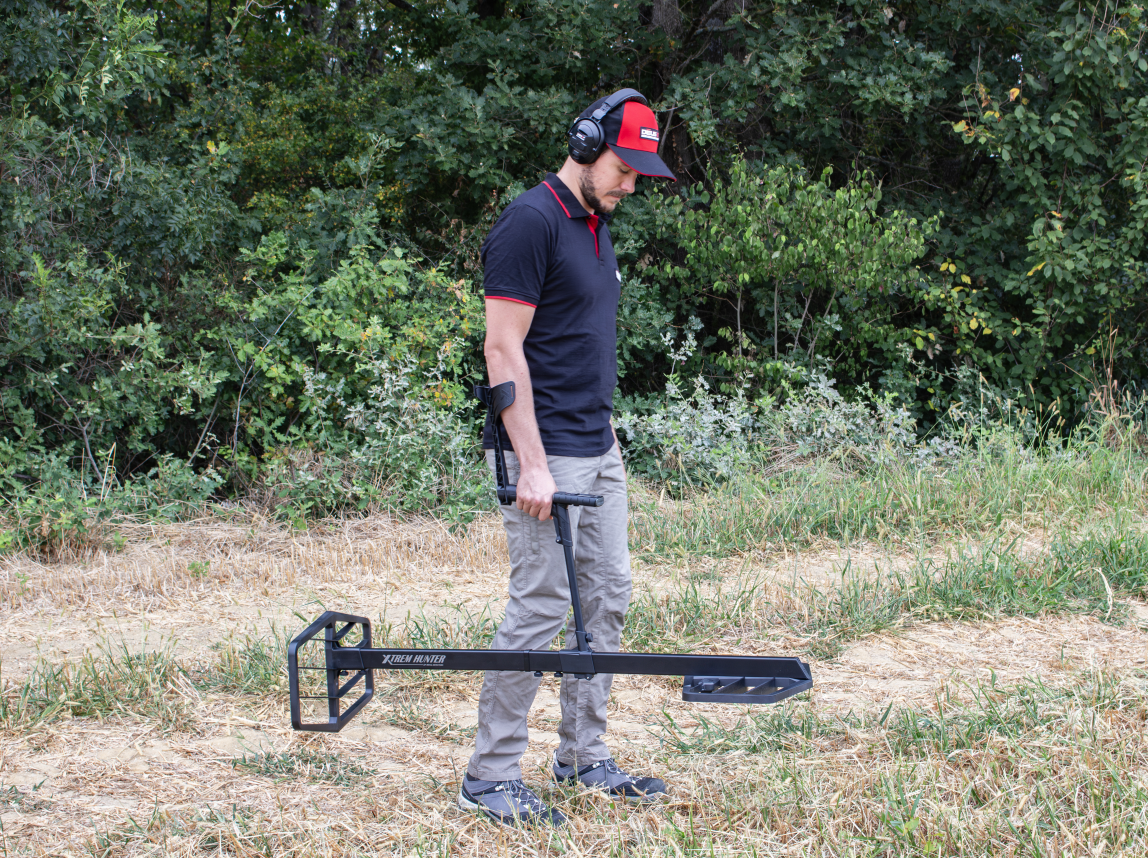
- Version 2.0 makes your DEUS II even more versatile by adding compatibility with the new XTREM HUNTER deep search device.
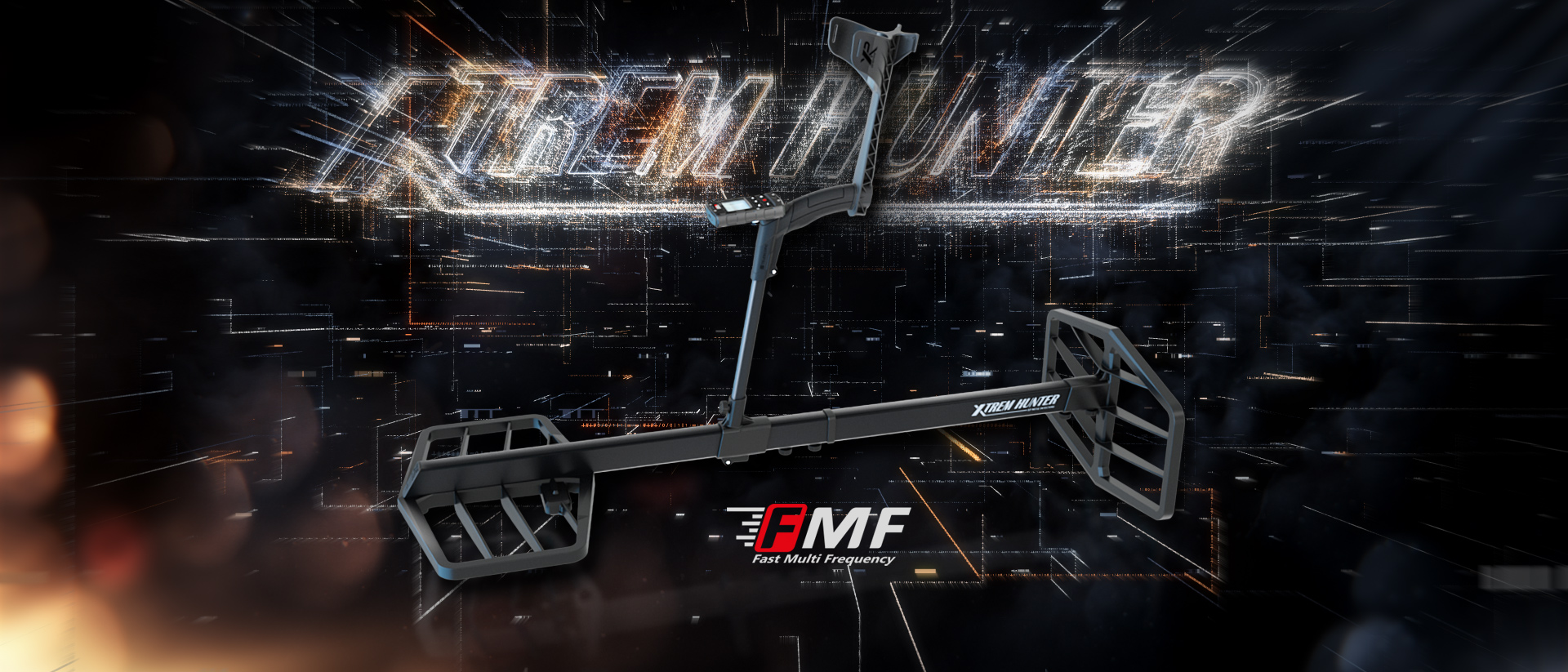
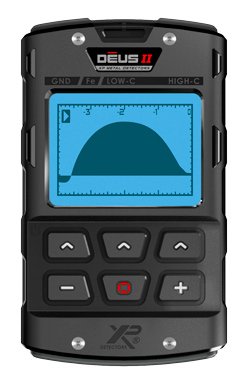
- Once you have paired the XTREM HUNTER as a new coil with your DEUS II, a special interface for operation appears on your remote.
- You can always quickly switch back to your original coils with just one click.
Further improvements
- Gold Field Program: improved sensitivity on small targets with low conductivity values
- The equalizer now also works with the bone conduction headset
Important information
- Please make sure that BOTH your remote and your wireless headphones WSAII (XL) / WS6 are updated to the same version so they function correctly.
Remote control
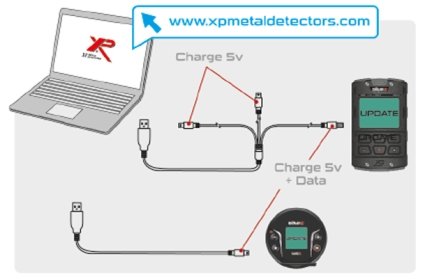
- Select the "DEUS II" tab at the top of the updater page.
- Follow the instructions to put your remote control into update mode (Option > Configuration > Update > Confirm).
- Use the 3-way USB cable supplied with your DEUS II and connect it.
- Select the version you wish to install from the dropdown menu on the left.
- After a successful update, proceed the same way for your headphones, as described below.
WS6 and WSAII / WSA II XL headphones
Please note that your WS6, WSAII and WSAII XL wireless headphones must be updated to the same version as the remote, otherwise they will not work.
- Select the "WS6 or WSAII" tab at the top of the updater page. WSAII and WSAII XL use the same updater file/tab.
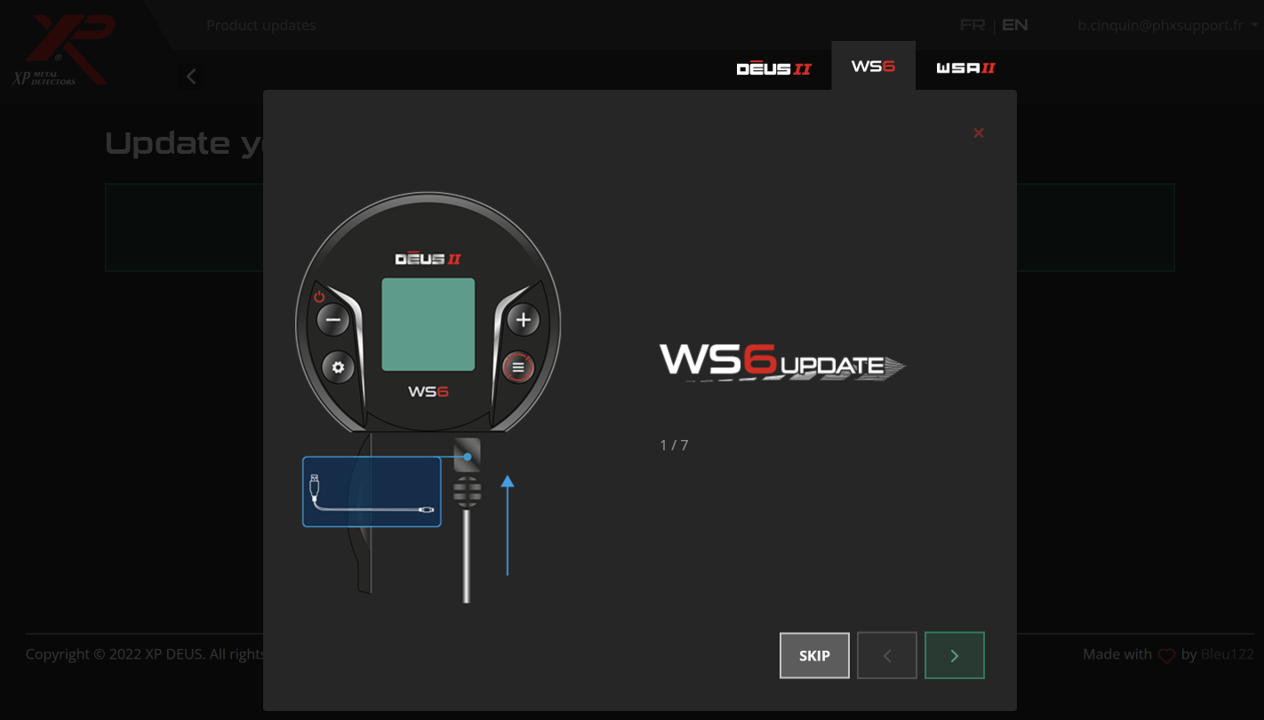
- Follow the updater instructions to put your headphones into update mode.
WS6:
- Press the ⚙️ button to access the option, scroll with the same button and select CONFIG by holding for 2 seconds.
- Scroll again with the same button and select UPDATE by holding the button for 3 seconds.
- Press the lower right button to confirm.
WSAII (XL):
Press the "-" button and then the "+" button and hold both buttons for 12 seconds.
! Use the single USB cable (DATA) delivered with your headphones, not the 3-way cable.
If you have created custom programs, we recommend noting them before the update so you can re-enter them afterward.
Visit the XP website, create an account and start the update.
XP DEUS II - UPDATE Version 1.1 (26.05.2023)
XP wishes to thank all DEUS II users for their valuable feedback following the release of Version 1.0. We appreciate your contributions and are pleased to introduce Version 1.1 based on your feedback:
• Bug fixes:
We have successfully resolved the issue of the remote restarting or WS6 freezing in very rare configurations.
• Further improvements:
The FE.TID (Ferrous Target Display) setting is now enabled by default. If you do not wish to display iron target IDs, you can disable them with the FE.TID setting.
We have made corrections to the SILENCER function in programs P1, P2, P4, P5, and P6. Now, silencer levels 0, 1, and 2 offer the same suppression as in V0.71, while higher levels from 3 onwards provide better iron suppression. Program 3 SENSI FT uses different silencers close to V1.0.
Notes :
- Previous versions 0.6, 0.71, and 1.0 remain available and accessible online thanks to the new updater.
- All other new features and improvements introduced in V1.0, such as Audio Filter, Freq Max, HiSquare Audio, Fulltones Offset, Fast TID, etc., remain unchanged in V1.1.
The XP Team
---
XP DEUS II - UPDATE Version 1.0 (15.05.2023)
NEW! Now, by default in program 1 General, large Target ID and 2-tone discrimination
Reactivity was slightly reduced from 2.5 to 2 to provide better all-round performance.
NEW! AUDIO FILTER (OPTION > AUDIO)
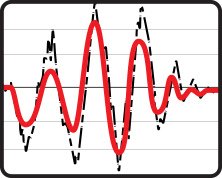 This filter cleans up the audio signals and makes sounds softer, smoother and less choppy, especially for deep detection, at the edge of detection, where this can yield a few extra centimeters of depth.
- On clean beaches or clean inland ground, higher levels from 2 to 5 are of interest.
- On iron-polluted ground: Levels 0 to 2 preserve enough audio nuances in iron response to better recognize the target.
NEW! Additional Sound Differentiation HI-SQUARE (OPTION > AUDIO > AUDIO TYPE)
This new audio type has a more meaningful and clearer sound than the SQUARE audio type and aids in better recognition of deep, quiet targets.NEW! FULL TONES (DISK > EXPERT)
- DISCRIMINATION = TONE BREAK
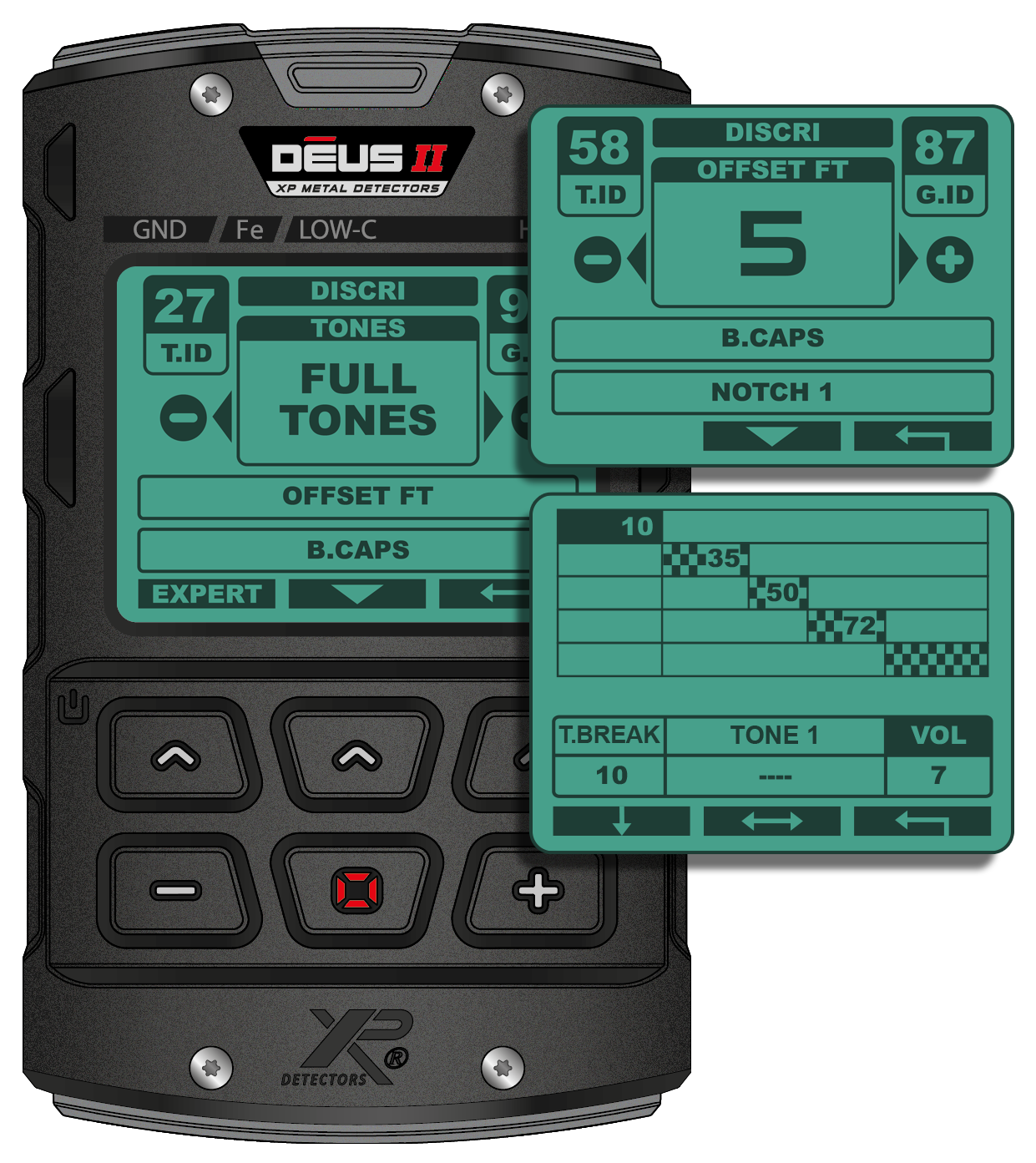 Values below the discrimination threshold, such as the ground and iron, are now audible without the need to set discrimination down to -6.4. The discrimination setting acts as a "tone break". The "iron volume" setting adjusts the level of ground and iron below the discrimination threshold.
- OFFSET FULL TONES (FULL TONES > EXPERT)
0 = OFFSET disabled.
5 = Default value produces a slight offset.
10 = Stronger offset.
40 (max) = All targets above the discrimination threshold give the same high tone.
NEW! TONE VOLUME (MENU > DISK > EXPERT > TONES > EXPERT)
Adjusts the individual volume of each tone in 11 steps to reduce certain target ranges and prioritize others.NEW! FREQ.MAX (MENU > FREQ. MAX)
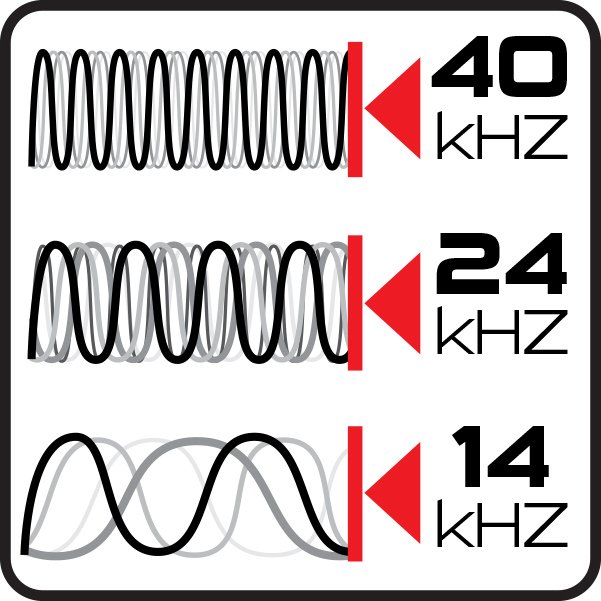 Limits the maximum frequency used in the FMF multi-frequency spectrum for each program to 40 kHz, 24 kHz or 14 kHz.
By reducing the maximum frequency, ground stability and iron discrimination are improved.
For example, combining Program 1 with a maximum frequency of 14 kHz (4–14 kHz spectrum) is more suitable for locating highly conductive targets (e.g. silver coins, large bronze, etc.) than the standard band up to 40 kHz.
Note: Frequency shift and auto frequency scan have been moved to the "Max. frequency" submenu.
NEW! IRON T.ID (OPTION > CONFIG > ON/OFF)
IRON T.ID = ON: Displays iron target values.IRON T.ID = OFF: Does not display iron target values – only targets in non-ferrous and precious metal range.
In iron-polluted soils, set IRON T.ID to OFF to focus on non-ferrous target display.

NEW! FASTER T.ID
Target-ID now updates more quickly, so an iron target’s ID does not remain on a non-ferrous target. Set IRON TID to OFF to prioritize the display of non-ferrous and precious metals.NEW! GROUND FILTER (DISK > EXPERT)
Now even more effective and graduated, with 8 steps from 0 to 7.NEW! OTHER
The Multi Notch and Ground menus are now available on the WS6.
Visit the XP website, create an account and start the update.
Contact
Metalldetektoren.de
Andreas Licht
Professor-Derra Str. 3
96465 Neustadt b. Coburg
Germany
Our service
Information
- Delivery time
- Payment & shipping
- My quick purchase
- Privacy and data protection
- Authenticity of customer reviews
- Terms and conditions
- Battery Act notice
- Cookie settings
Our brands