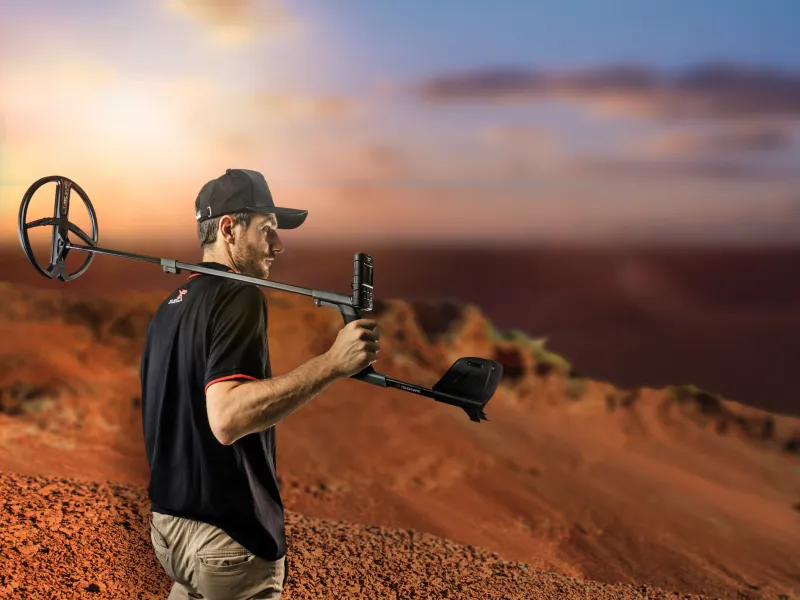
XP ICON & ICON X – user manual
XP ICON & ICON X – user manual
A compact overview of all the important functions, settings and programs of your new XP multi-frequency metal detector – made in France.
Contents
1. Quick start – get going in 3 steps
After charging the device for the first time:
Switch on
Briefly press the ⏻ button on the remote control. The coil LED first flashes quickly and then once per second.
Choose a program
Use the # button to choose the right program for your search area (field, park, beach …).
Adjust the volume
Use ⚙ to go to the options, then use + or – to set the speaker volume.
First steps before use
Metal detecting takes a little practice. Ideally, prepare a selection of different test objects and practise on a quiet area with as little metal as possible – not in your own garden, as it usually contains too many sources of interference. Keep the coil parallel to the ground, with calm, wide movements and as close to the surface as possible.
Pinpointing a target precisely (cross-sweeping)
If you cannot find a target straight away: sweep over the area where you first heard the signal. Then turn through 90° and repeat the sweep. The target lies where the two sweeps intersect – the strongest and brightest tone marks the centre of the coil.
2. Remote control buttons
| Hold the | Function (short press) | Function (press and hold) |
|---|---|---|
| ⏻ | Switch on / activate all-metal mode | 1 sec. = switch off |
| ⚙ | Open options / back to main screen | 1 sec. = expert options · 3 sec. = frequency scan |
| = | Scroll through settings | 1 sec. = expert settings · pinpoint mode |
| # | Change program | 1 sec. = previous program · 3 sec. = save user program |
| + – | Change value / adjust sensitivity | – |
| ✓ | Confirm | Carry out ground balance (GRAB) |
Screen indicators
The display shows at a glance: the conductivity scale (target ID), program symbol, selected setting, battery level (coil, remote control, MI-6), sensitivity, depth indicator and notices for all-metal or single-frequency mode.
3. Factory programs at a glance
The ICON has 3 factory programs, the ICON X has 6 factory programs. Use # to switch between the programs.
Field ICON · ICON X
Versatile field program, ideal for clean fields, pasture and ploughed land. Reliably filters out ground moisture.
Trashy Field ICON X only
Highly sensitive program for heavily contaminated and/or mineralised ground. Particularly good for low-conductivity targets.
Forest ICON X only
For clean, weakly mineralised woodland ground. Reaches great depths and also reliably finds medium-sized targets.
Park ICON · ICON X
Ideal for coin hunting in parks and recreation areas with typical trash such as aluminium foil or iron bottle caps.
Wet Beach ICON X only
For dry and wet beaches alike. Very sensitive to small targets without losing performance on large finds.
Beach & Surf ICON · ICON X
All-terrain program for marine environments. Very stable and at the same time sensitive to all target types.
Factory and custom programs of the XP ICON and ICON X
The following tables show which of the six factory programs are pre-installed on the XP ICON and XP ICON X, and the basic settings each program uses out of the box. All programs can then be customised individually and saved as your own custom program.
Availability of factory programs
| Detector | Field | Trashy Field | Forest | Park | Wet Beach | Beach & Surf |
|---|---|---|---|---|---|---|
| XP ICON | ✓ | − | − | ✓ | − | ✓ |
| XP ICON X | ✓ | ✓ | ✓ | ✓ | ✓ | ✓ |
| Custom program |
Factory settings per program
| Parameter | Range | Field | Trashy Field | Forest | Park | Wet Beach | Beach & Surf |
|---|---|---|---|---|---|---|---|
| Sensitivity | 0 – 25 | 24 | 24 | 24 | 24 | 24 | 24 |
| 2 Tones | Audio mode | – | – | active | – | – | – |
| 3 Tones | Audio mode | active | active | – | active | – | – |
| 5 Tones | Audio mode | – | – | – | – | – | – |
| Pitch | Audio mode | – | – | – | – | active | active |
| Full Tones | Audio mode | – | – | – | – | – | – |
| Discrimination | −6 – 99 | 8 | 7 | 7 | 8 | 7 | 7 |
| Notch | OFF / 00 – 99 | OFF | 25 | OFF | 10 – 35 | 10 | 10 |
| Iron volume | 0 – 10 | 8 | 8 | 8 | 8 | 8 | 8 |
| Frequency | FMF / Mono | FMF | FMF | FMF | FMF | FMF | FMF |
| Audio Type | 1 – 6 | 3 | 1 | 3 | 1 | 5 | 2 |
| Ground | Std / Exp | Std | Std | Std | Std | Std | Std |
| Tracking | ON / OFF | OFF | OFF | OFF | OFF | OFF | OFF |
| Reactivity | 0 – 6 | 2 | 3 | 2 | 3 | 1 | 2 |
4. Settings
Press = repeatedly to scroll through the settings. Use +/– to change the value. Use ⚙ to return to the main screen (automatic return after 8 sec. of inactivity).
Sensitivity 0 – 25
Determines the detection sensitivity. You should reduce the value in heavily contaminated areas and near power lines, fences or transmitter masts.
Tip: never test indoors – there is too much electromagnetic interference there.
Tone modes (Tones)
Choose between different tone modes:
- 2 / 3 / 5 tones (multi-tones): Targets are sorted into categories according to conductivity (e.g. iron, medium, high conductivity).
- Pitch (Pt): Dynamic tone that varies in volume and pitch depending on how close the target is – feels very responsive.
- Full Tones (Ft): Each target ID value gets its own tone. Aluminium foil (TID 30), for example, sounds at 350 Hz, a large silver coin (TID 95) at 900 Hz.
Discrimination -6 to 99
Rejects targets below the set conductivity.
- 10 = targets below target ID 10 are rejected
- 40 = aluminium foil and similar targets are also muted
- Negative values even make the ground zone and the tiniest iron pieces audible (expert mode)
Notch EXPERT
Complements discrimination: a single "window" in the conductivity scale is rejected without targets above it disappearing.
Access: in the DISC menu, hold = for 2 sec. Use +/– to select a segment and ✓ to confirm.
Practical tip: Iron bottle caps typically show two segments at approx. 10 and 60–70. They can be specifically rejected using the notch filter.
Iron volume 0 – 10
Volume of the low tone for iron targets (below the discrimination threshold).
- 0 = iron tones completely muted
- 10 = maximum volume
FMF multi-frequency
The ICON works simultaneously with several frequencies up to 40 kHz. In case of interference, you can:
- shift the frequency range manually with +/–
- start an automatic frequency scan : ✓ press it or, on the main screen, hold ⚙ for 3 sec.
- Single-frequency mode (expert): select the FMF setting, = hold for 2 sec.
ICON: 2 single frequencies (4 and 14 kHz)
ICON X: 3 single frequencies (4, 14 and 28 kHz)
Audio Type 1 – 6
Different sound profiles with different sound characteristics:
| Audio Type | 1 | 2 | 3 | 4* | 5* | 6* |
|---|---|---|---|---|---|---|
| Sound | PWM | SQUARE | PWM | PWM | SQUARE | PWM |
| Stereo morphing | – | ✓ | ✓ | – | ✓ | ✓ |
| Audio response | Standard | Standard | Standard | Enhanced | Enhanced | Enhanced |
* Only available on the ICON X.
PWM = classic XP sound, dynamic and rich in information. SQUARE = soft, even sound. Audio Morphing highlights surface targets with a stereo chorus effect.
Reactivity ICON: 1–5 · ICON X: 0–6
Controls how quickly the detector can separate two targets lying close together (recovery speed).
- 0 – 1: Large masses, coins, clean ground (ICON X only at 0)
- 2 – 3: All-purpose value for lightly contaminated ground
- 4 – 6: Iron-infested or mineralised ground (6 ICON X only)
Low reactivity = greater depth in clean ground. High reactivity = better separation of targets lying close together.
5. Ground balance
GRAB – carrying out a ground balance
On the main screen, hold down the ✓ button and "pump" the coil vertically towards the ground several times (±15 cm) until the ground tone becomes quieter and the value stabilises. A short press on ✓ only shows the current ground value without recalibrating.
Tracking mode
Automatic, continuous ground correction. Access: select the GROUND setting, hold = for 2 sec. Suitable for evenly mineralised ground – not ideal for ground with historical settlement (irregular ground effects).
STANDARD vs. PRO
- STANDARD (Std): Recommended default. The ground zone above the GRAB value is rejected; multi-frequency analysis still identifies targets.
- PRO: Expert mode. In land programs, the ground zone becomes audible (e.g. for the deepest signals that are normally masked). In beach programs, deep targets in black sand also become visible.
All-metal mode
Pressing ⏻ temporarily activates all-metal mode: discrimination and notch are switched off, all metals (including iron) are audible. Handy for quick sweeps or with mixed finds.
6. Pinpoint – locating a target exactly
Pinpoint mode works without coil movement ("non-motion") and is ideal for finding the exact position of a target – also for tracing metal pipes or searching indoors.
Activate pinpoint
On the main screen, hold = for 1 sec. "PP" appears on the display.
Set the threshold
Position the coil just above the ground to the side of the target and briefly press = .
Locate the target
Move the coil slowly over the target. The loudest, brightest tone marks the exact position – in the centre under the coil.
Use ⚙ to leave pinpoint mode again.
7. Options & pairing
Use ⚙ to open the options menu and scroll through the items. Use = to return to the main screen.
| Option | Function |
|---|---|
| Speaker volume | Use +/– to set. If wired headphones (BH-02 or jack adapter) are connected, the speaker volume is deactivated. |
| Wireless headphone volume | The volume of the wireless headphones can be adjusted separately. |
| Backlight | Use +/– to set the duration. ⚙ for 2 sec. = brightness (0–20). |
| Update (UP) | ⚙ for 4 sec. = update mode. Software update via USB-C at xpmetaldetectors.com. |
| Go Terrain | Smartphone app with GPS tracking. AUTO = automatic transfer of targets · PUSH = manual transfer by pressing the ⚙button. |
Pairing headphones / MI-6 / coil
| Accessory | Pairing |
|---|---|
| Wireless headphones | Select the "Headphones" option and press ⚙ for 4 sec. On the headphones, hold the –button for 8 sec. until "OK" appears. |
| MI-6 pinpointer | Select the "MI-6" option and press ⚙ for 4 sec. Then hold the button on the MI-6 for 8 sec. |
| Coil | The factory coil is already paired. For additional coils, choose a free slot, press ⚙ for 4 sec. and place the coil on the charging cradle – the serial number is transferred automatically. |
Finding lost accessories ("Research")
Paired headphones or MI-6 can be located – even when they are switched off and after weeks: select the option, then hold ⚙ + + for 4 sec. Within 25 m, the accessory starts to beep and flash.
8. Battery & charging
Battery life
Note: the remote control's running time is reduced when using the built-in speaker or the BH-02 headphones.
Charging time
Remote control, wireless headphones and ICON28 coil: each approx. 3 hours. Use a USB power supply with at least 5 V / 1 A from a certified source (CE, FCC, UL etc.).
Coil LED – meaning
- Constantly lit: Coil is charging
- 4 sec. on / 4 sec. off: Coil fully charged
- 1× per second: Operating
- Every 4 sec.: Standby
- Every 30 sec.: Deep standby / almost empty
9. Diving & waterproofing
The ICON is waterproof to IP68 to 5 m / 16 ft water depth – but only with the right setup.
| Setup | Maximum depth | Purpose |
|---|---|---|
| Original cap | 1.5 m / max. 30 min. | Normal land use, short trips onto mudflats |
| BH-02 bone conduction headphones + waveguide | 5 m / 16 ft | Diving, permanent underwater use |
Waveguide
The supplied waveguide (coaxial cable + coil clip + remote control clip) ensures a stable wireless connection between coil and remote control underwater. It is only needed for deeper immersion – at a depth of a few centimetres it is not required.
Key lock when diving
To lock the keypad underwater: ⚙ + – hold for 12 seconds. Unlock by pressing the flashing buttons.
- After use in salt water, always rinse with fresh waterbefore opening the cap or connector.
- Dry the USB-C cap completelybefore closing it, to prevent salt water/sand from getting in.
- remote control do not leave it in the car in direct sunlight – risk of the speaker becoming deformed.
10. Troubleshooting
- Reduce sensitivity
- With EMI interference (high voltage, transformer): carry out a frequency scan, select single-frequency mode if necessary
- During thunderstorms: switch the device off, do not search when there is a risk of lightning
- Keep your distance from other detectors
- Recalibrate the ground value with GRAB
- On heavily iron-infested ground: increase reactivity, reduce sensitivity
- Select the correct coil number in the coil pairing menu
- Check the coil serial number or pair the coil again
- Charge the coil – check the charging source
- If defective: contact your dealer
- Correct coil selected in the pairing menu?
- Wireless headphones paired correctly? If "KO" appears during pairing: update headphones and remote control to the same software version (updater.xpmetaldetectors.com)
- The module has come loose from the headband – clip it back in or replace the headband
- Module defective: contact your dealer
11. Technical data at a glance
| Feature | ICON | ICON X |
|---|---|---|
| Detection frequencies | FMF + 2 mono (4 / 14 kHz) | FMF + 3 mono (4 / 14 / 28 kHz) |
| Sensitivity | 25 levels | 25 levels |
| Audio Types | 3 (standard audio curve) | 6 (incl. enhanced curve) |
| Reactivity | 5 levels (1–5) | 7 levels (0–6) |
| Multi-Tones | Pitch · 2 / 3 / 5 tones · Full Tones | Pitch · 2 / 3 / 5 tones · Full Tones |
| Ground balance | Grab · Tracking · Standard · Pro | Grab · Tracking · Standard · Pro |
| Multi-Notch | 28 segments | 28 segments |
| Resolution | 1 point (iron range) | 0.5 points (iron range) |
| Programs | 3 factory + 3 user programs | 6 factory + 6 user programs |
| Connectivity | MI-6, Go Terrain app | MI-6, Go Terrain app |
| Total weight | approx. 830 g (ICON X) / approx. 710 g without remote control | |
| Shaft | S-shaped telescopic · 58 cm folded / 130 cm extended | |
| Waterproofing | IP68, 5 m (with BH-02 + waveguide) | |
| Wireless connection | 2.4 GHz · <4 ms latency · 36 channels | |
| Software updates | Via USB-C over the internet | |
| Warranty | 5 years on parts & labour · optionally extendable to 10 years · batteries & accessories: 2 years | |
Compatible accessories (DEUS II FMF ecosystem)
The ICON is compatible with the existing DEUS II FMF ecosystem:
- Coils (waterproof to 20 m): D22FMF (22,5 cm) · DELLFMFHP (24 × 13 cm, HF2) · D28FMF (28 cm) · D3428FMF (34 × 28 cm)
- Wireless headphones: WSA ST, WSAXL ST, WS6ST, BH-02 (bone conduction, suitable for diving)
- Pinpointers: MI-4 and MI-6 (connected)
Safety & recommendations
- Find out about the applicable search permits and legal requirements (in Germany, these are a matter for the federal states)
- Always obtain the landowner's permission
- Fill in your holes carefully and take any trash you find with you
- Avoid former battlefields – if you suspect munitions, grenades or bombs, inform the responsible authorities (explosive ordnance disposal) immediately
- The ICON is not a device for searching for munitions, weapons or mines
Contact
Metalldetektoren.de
Andreas Licht
Professor-Derra Str. 3
96465 Neustadt b. Coburg
Germany
Our service
Information
- Delivery time
- Payment & shipping
- My quick purchase
- Privacy and data protection
- Authenticity of customer reviews
- Terms and conditions
- Battery Act notice
- Cookie settings
Our brands