Settings
Shipping country
Languages
Currencies
XP DEUS II tempered glass screen protector for remote control + cleaning kit
- Product description
- Reviews1
Product description

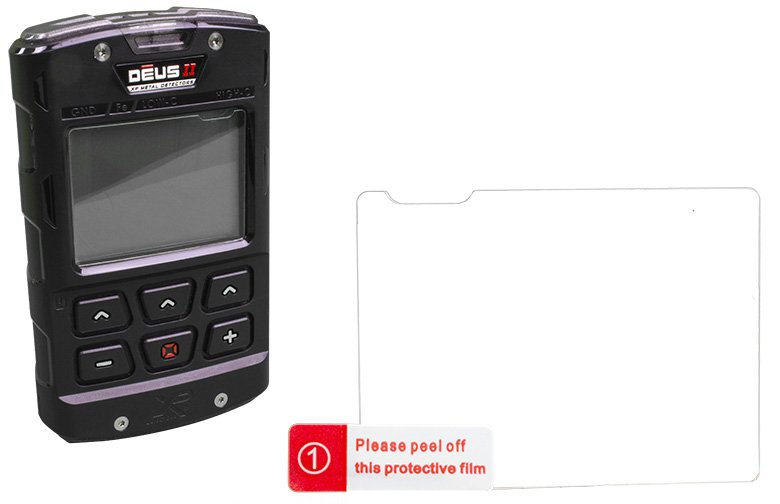
The ultimate screen protector for the XP DEUS II remote control - custom-fit tempered glass to clip on. If the display is already scratched, most scratches will become invisible once the glass is attached!
The tempered glass looks high quality when attached and protects the display of the remote control safely and discreetly from scratches.
Installation instructions:
The tempered glass looks high quality when attached and protects the display of the remote control safely and discreetly from scratches.
Installation instructions:
- Step 1: Clean the display (alcohol and cleaning cloth included).
- Step 2: Remove dust with black dust absorber (dust absorber included).
- Step 3: Place the screen on a firm, clean surface so that the cut-out in the protective glass is at the top right.
- Step 4: Place two guide stickers (guide stickers included) anywhere on the non-adhesive side as desired.
- Step 5: Carefully remove the protective film from the glass and lower the glass onto the display with the adhesive side facing down using the guide stickers.
- Step 6: Press on the protective glass from the center outwards with light finger pressure. Done!
Included in delivery
- 1 x XP DEUS II tempered glass screen protector for the remote control (remote control shown in picture is not included)
- 1 x cleaning cloth
- 1 x alcohol pad
- 1 x dust absorber
- 3 x guide stickers
Customer reviews1
Average rating: 5
Based on 1 Rating
Evaluation:| Author: Jürgen F.| Date: 26/04/2023
Very good!


In stockDelivery time: 1-3 days
incl. VATLast viewed:

10,50 EUR*