Settings
Shipping country
Languages
Currencies
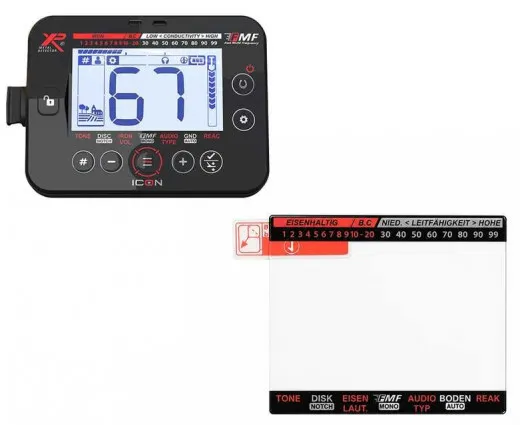
XP ICON tempered glass screen protector
- Product description
- Reviews
Product description
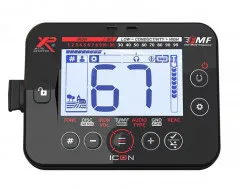
Protect the display of your XP ICON remote control from scratches, dirt and wear. The tempered glass protector sits directly on the display. It offers discreet, strong protection. A practical side effect: if the display is already slightly scratched, fine scratches often become less visible or almost invisible after fitting the glass. The glass protector fits the XP ICON remote control well and does not interfere with using the display.
Easy fitting
Step 1: Clean the display thoroughly. An alcohol wipe and a cleaning cloth are included.
Step 2: Remove any remaining dust particles with the enclosed black dust absorber.
Step 3: Place the glass protector on a clean, firm surface. The cut-out of the glass protector is at the top right.
Step 4: Stick two of the enclosed guide stickers onto the non-adhesive side of the glass protector. They help you align the glass precisely afterwards.
Step 5: Carefully peel the protective film off the adhesive side. Using the guide stickers, position the glass protector exactly over the display and lower it slowly.
Step 6: Press the glass protector gently from the centre outwards. Done.
Easy fitting
Step 1: Clean the display thoroughly. An alcohol wipe and a cleaning cloth are included.
Step 2: Remove any remaining dust particles with the enclosed black dust absorber.
Step 3: Place the glass protector on a clean, firm surface. The cut-out of the glass protector is at the top right.
Step 4: Stick two of the enclosed guide stickers onto the non-adhesive side of the glass protector. They help you align the glass precisely afterwards.
Step 5: Carefully peel the protective film off the adhesive side. Using the guide stickers, position the glass protector exactly over the display and lower it slowly.
Step 6: Press the glass protector gently from the centre outwards. Done.
Customer reviews
Average rating: 0
Based on 0 Reviews
Write the first Review!

In stockDelivery time: 1-3 days
incl. VATLast viewed: