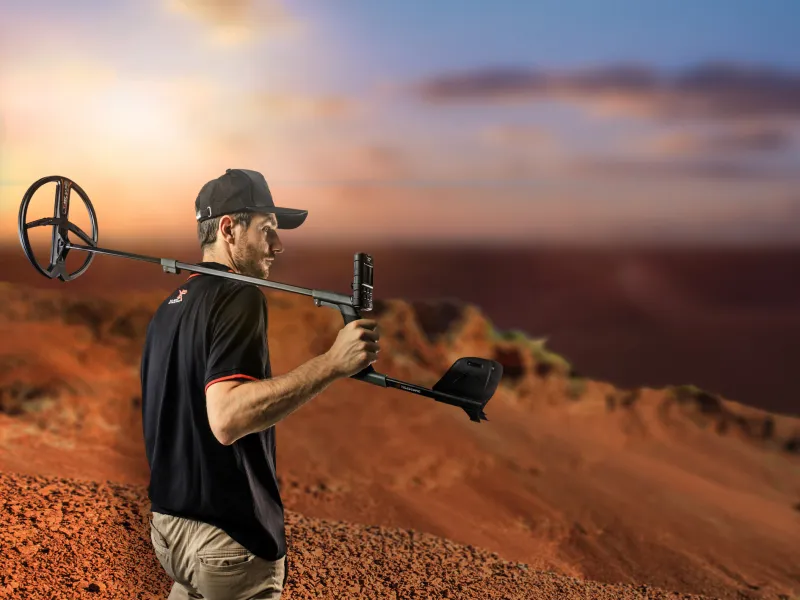
XP DEUS II XTREM HUNTER Settings & practical guide
The complete setup manual for the world's first FMF® twin-box deep detection system – from first use to the optimal field settings for maximum depth performance.
5 mMax. detection depth
FMF®Multi-frequency
2.9 kgTotal weight
>10 hBattery life
What is the XTREM HUNTER?
The XP XTREM HUNTER XTR-115 is a professional two-box deep detection system (twin-box locator) and the world's first of its kind to work with advanced Fast Multi Frequency technology (FMF®) . It is not a stand-alone probe, but an extension of the XP DEUS II – the XTREM HUNTER is simply paired as a new coil and uses the complete DEUS II electronics, remote control and headphones.
The device consists of two separately mounted coils – a transmitter (XTR115TX) and a receiver (XTR115RX) – which are mounted on a telescopic shaft. The electromagnetic field builds up only on the underside (ground side) , so small surface targets are automatically ignored. The XTREM HUNTER is a no-motion detector – it does not need to be swept, but gives an increasingly strong signal the closer you get to the target.
Conventional metal detectors respond to every metal object – even small nails or screws near the surface can mask the signal of a large find at depth. The XTREM HUNTER takes a different approach:
No response to small finds
Nails, bottle caps and other small parts are invisible to the XTREM HUNTER – it concentrates exclusively on objects from approx. 15 cm in diameter.
Minimal ground effects
Thanks to FMF®, false signals caused by movement, differences in ground height and mineralisation are considerably reduced – a clear advantage over previous generations.
Iron discrimination
As the only two-box system on the market, the XTREM HUNTER offers discrimination between ferrous and non-ferrous objects using the IAR function – revolutionary for this class of device.
Wireless & DEUS II compatible
Switch between the XTREM HUNTER and DEUS II standard coils in seconds. The complete wireless ecosystem is retained – remote control, headphones and app.
Assembly step by step
Before assembly: Note all screw sizes – 4 knurled screws Ø5mm/16mm, 2 knurled screws Ø5mm/30mm, 1 knurled screw Ø4mm/12mm. The wrong screw can damage the shaft or the electronics.
I
Mounting the rear coil (receiver)
Mount the rear receiver coil (XTR115RX with cable) on the front structure. Make sure it is aligned correctly – the cable connection must lead to the front coil.
II
Locking & unlocking the shaft
Bring the telescopic S shaft into the desired position and let the locking mechanism click into place. For transport: push the shaft together and stow it in the case (725 × 480 × 170 mm).
III
Screwing the shaft together
Tighten the knurled screws hand-tight – not too tight, otherwise the aluminium shaft will get pressure marks. The connection must sit without wobbling, as vibrations can produce false signals.
IV
Connecting the coils
Connect the rear coil's connecting cable to the front coil. Make sure the plug is firmly seated – a loose connection leads to signal dropouts or constant noise.
V
Screwing on the front coil (transmitter)
Attach the front transmitter coil (XTR115TX with wireless TX and battery) to the shaft. It contains the electronics – screw it on particularly carefully.
VI
Adjusting the telescopic shaft & handle
Adjust the handle to your height – high position or low position depending on the user's height. Important: the XTREM HUNTER should be kept a sufficient distance from the ground to avoid excessive sensitivity to surface targets.
VII
Attaching the carrying strap
Fit the supplied carrying strap. For long search sessions, the optional XP backpack 280 is recommended – it considerably relieves shoulders and arms with a total weight of 2.9 kg.
Pairing with the DEUS II remote control
Requirement: The DEUS II remote control must be updated to firmware version 2.0 or higher . The current version is shown on the display at start-up.
1
Have the serial number ready
The serial number of the XTREM HUNTER is on the device itself. It is needed for the pairing process.
2
Start pairing: OPTION → Pair → Coil
Navigate in the menu of the DEUS II remote control: OPTION → Pair → Coil → enter serial number. The XTREM HUNTER is integrated like a regular search coil.
3
Special XTREM HUNTER interface
After successful pairing, the remote control automatically switches to a special user interface – with unique menus and a real-time graphic display that shows the last 4 seconds of signal detection.
4
Coil change possible at any time
To switch to DEUS II standard coils: OPTION → Pair → Coil → select the desired coil from the coil list. The Relic program is well suited for confirming targets at medium distances.
All setting parameters in detail
The following table explains all the setting options of the XTREM HUNTER, their effects and recommended values for different search requirements:
Parameter
Value range
Standard
recommendation
Effect & notes
Sensitivity
0 – 99
85
70–90
Higher values = more depth range. On heavily mineralised ground or with EMI noise, reduce to 60–75. Never test indoors.
Disc IAR (iron discrimination)
OFF – 5
OFF
1–3
0 = no rejection | 3 = iron near the surface | 5 = iron at greater depth. Only effective in motion mode. Use with caution on trashy areas – deep targets could be masked.
Threshold (HUM)
0 – 20
0
0–5
Increasing it masks faint background noise. Caution: Also masks faint deep signals. Use sparingly – only increase with extreme background noise.
Reactivity
1 – 3
1
1 for max. depth
Low (1): Maximum depth performance, longer signals, slower walking pace needed, suppresses EMI. High (3): Faster target location, better discrimination on trashy fields. Do not change frequently when taking LCD readings.
Auto Tune
OFF – 3
OFF
OFF or 1
Automatic threshold tracking. At OFF: manual calibration by a short button press. At 1–3: automatic tracking, the device must keep moving. With very deep targets, fast auto-tune can weaken the signal – then switch to OFF.
Signal amplification
1 – 4
2
2–3
Amplifies the tone curve, highlights deep targets, but makes the device noisier. Value 1 = maximum stability, minimal ground noise. Reduce to 1 for difficult ground.
Freq. shift
14 channels manual/auto
Auto
Always SCAN first
Noise suppression. Before every session: long press on the top right button → automatic scan of all 14 channels. Selects the quietest frequency band. Test manually with strong EMI.
Ground (ground balance)
59 – 95 (Grab or manual)
87
87 (mostly)
FMF® greatly reduces ground effects – a value of 87 works in most cases. Adjust manually for special magnetic ground. GRAB mode: hold the button for 2 sec., tilt the coil towards the ground, read the value.
Optimal settings for every situation
The XTREM HUNTER comes with one factory program and has space for two of your own user programs. These three configurations cover the most common search scenarios optimally:
FACTORY PROGRAM (standard)
Sensitivity85
Disc IAROFF
Threshold0
Reactivity1
Auto TuneOFF
Signal amplification2
Ground87
MAXIMUM DEPTH (clean ground)
Sensitivity90–95
Disc IAROFF
Threshold0
Reactivity1
Auto TuneOFF
Signal amplification3–4 + headphones
Ground70 (non-ferrous)
TRASHY FIELDS & DIFFICULT GROUND
Sensitivity60–75
Disc IAR3–5
Threshold0–3
Reactivity3
Auto Tune1
Signal amplification1
Ground87
Tip for maximum depth on clean, non-mineralised ground: Carry out a frequency scan → reaction time to 1 → ground to 70 (for non-ferrous hunting) → maximise sensitivity → increase signal amplification → be sure to use headphones for the best signal perception.
Reading & interpreting signals
The 4-second graphic display on the DEUS II remote control shows the signal characteristics in real time. It recalibrates every second. With a little practice, you can estimate the depth and size of a target:
0 – 30 cm
Double-lobe signal with a negative dip in the middle. Strong, clear response. Surface targets are shown like this – often just ground effects or shallow objects.
30 – 80 cm
First lobe strong, second weaker. Clear single signal. A typical picture for medium-depth targets. Size can be estimated well from the signal duration.
80 – 150 cm
Single signal, clear but weaker deflection. Recognising deep targets: the weaker and more isolated the signal, the deeper the object lies.
> 150 cm
Very weak single signal. Headphones absolutely required. Slow walking pace and low reaction time (1) for the best possible detection.
Signal strength = depth indicator: The display also shows the signal strength numerically – low values indicate deeper targets. Signal duration = size indicator: The longer the signal lasts as you pass over it, the larger the suspected object.
Important when testing: Always place test objects on the ground and move the XTREM HUNTER over them from above – never move an object over the running detector. The XTREM HUNTER only detects objects on its underside (ground side). Never tilt the detector 90° onto its side during tests – it is then more susceptible to EMI interference.
Pinpointing & confirming a target
1
Switch Auto Tune to OFF
As soon as a target sounds: deactivate Auto Tune, then recalibrate. In manual mode, the signal is retained when you stand still over the target – in Auto Tune mode it would disappear after a few seconds.
2
Cross-bearing
Move the detector slowly over the target from different directions. The point where the strongest signals intersect shows the exact position. Increase the reaction time for this process (to 2–3) for more precise location.
3
Confirm with a DEUS II standard coil
After deep detection, switch to a DEUS II standard coil (OPTION → Pair → Coil). The Relic program is ideal for confirmation and more precise depth estimation at medium distances.
4
Using iron discrimination
When DISC IAR is active, a low tone indicates iron targets – the display shows them in shades of grey. Non-ferrous metals produce medium-high tones. Walk over the target in motion mode – IAR discrimination is not active when standing still.
Frequency scan & EMI noise suppression
Golden rule: Carry out an automatic frequency scan at the start of every search session ! The XTREM HUNTER is a highly sensitive device – the quietest channel is a basic requirement for good depth performance.
Frequency scan shortcut: On the main screen, long-press the top right button → automatic search through all 14 channels → the best frequency band is selected.
With excessive EMI noise (power lines, fences, radio masts):
Reduce sensitivity to 60–70
Set Audio Response (signal amplification) to 1
Reduce reaction time to 1
Set the handle higher or hold the aluminium frame directly – more ground clearance = less interference
Keep a minimum distance of 50 m from high-voltage lines and industrial plants
Ground balance – GRAB & manual
Thanks to FMF® technology, ground effects are greatly reduced. The standard value of 87 works perfectly on most ground. Manual adjustment only makes sense on specially mineralised or magnetic ground.
GRAB mode (automatic ground balance):
1
Hold the button for 2 seconds
Hold the corresponding button (ground balance button) for 2 seconds – do not let go.
2
Tilt the front coil towards the ground
While holding the button, tilt the front of the coil slightly towards the ground – listen for the ground hum in the tone.
3
Release the button & read the value
After releasing, the display shows the measured ground value. If no stable value is found after several attempts: reset manually to 87.
Pro tip for maximum depth on clean ground: Set the ground balance to 70 (instead of 87) and the reaction time to 1. This combination considerably maximises penetration depth on uncontaminated, non-mineralised ground.
Pro tips for maximum success in the field
Always use headphones
The XTREM HUNTER has a large dynamic range. Faint signals from deep targets are barely audible through the built-in speaker – WSA ST, WSA XL ST or WS6 ST headphones are a must.
Dress metal-free
No smartphones, belt buckles, keys, watches or shoes with metal inserts. Before use, check your shoes with the pinpointer – many hiking boots have reinforcing metal inserts in the sole.
Walk slowly at low reaction time
The lower the reaction time (especially at level 1), the slower your walking pace must be. Moving too fast skips over deep targets completely.
Keep it horizontal
Always hold the XTREM HUNTER horizontally – never tilt it onto its side. Tilted positions increase susceptibility to EMI interference and distort the detection results.
Adjust ground clearance
On difficult ground or with a lot of trash: set the handle higher or hold the aluminium frame directly. More distance from the ground = better stability and fewer false signals, while depth performance on large targets is maintained.
Recalibrate regularly
When ground conditions change, reset the audio threshold regularly with a short button press. This is particularly important when moving between dry and wet areas.
10-point checklist before starting
Must be done:
DEUS II firmware updated to version 2.0 or higher
XTREM HUNTER paired as a coil (serial number)
Automatic frequency scan carried out
Handle adjusted to body height
Sufficient ground clearance set
Headphones connected / battery charged
Ground balance (GRAB or manual 87)
Threshold set with a short button press
Be sure to avoid:
No metal on the body (phone, keys, belt, shoes with metal inserts)
Do not test indoors – strong EMI interference
Do not search in industrial areas or near power lines
Do not tilt the detector 90° onto its side
Do not move test objects over the running detector
Do not search for deep targets without headphones
Technical specifications
Technology
FMF® Simultaneous Multi Frequency
Detection type
No-motion (+ Auto Tune)
Max. detection depth
up to 5 metres
Minimum object size
approx. 15 cm Ø
Weight (with RC)
2.9 kg
Battery
Li-Ion 18650, 11 Wh, 45 g
Battery life
> 10 hours
Charging time
approx. 4 h (USB-C, min. 1 A)
Assembled length
1.20 m
Operating temperature
0 to +40 °C
Case (W×H×D)
725 × 480 × 170 mm
Frequency channels
14 bands manual / auto
Programs
1 factory program + 2 user
Compatible headphones
WSA ST · WSA XL ST · WS6 ST · WS6 · WSA II · WSA II XL
Warranty
5 years (parts & labour)
Weight in case
5.8 kg
Compatible headphones – the new ST generation
With the ST series (stereo) , XP has developed a new generation of headphones specifically for the DEUS II. Equipped with new electronics, their own processor and a USB-C port, these models are designed for true stereo audio and multiprocessing with the DEUS II V4 update . All ST models use XP's patented radio protocol – 10× faster than Bluetooth with minimal latency.
Important for XTREM HUNTER users: The stereo function (V4 update) is not available for the XTREM HUNTER – only for conventional DEUS II coils. The XTREM HUNTER still benefits from the faster signal processing and better audio quality of the ST headphones in mono operation.
Model
Type
Special feature
Protection class
Stereo (V4)
recommendation
WSA ST
On-ear, light & foldable
Successor to the WSA II – best-selling model. Ambient sounds clearly audible, ideal for conversations. USB-C charging.
Weatherproof
Yes (V4)
All-round
WSA XL ST
Over-ear, enclosing the ears
The most comfortable XP headphones. Shields against wind, cold and ambient noise – ideal for noisy environments (beach, storm). Compact folding design.
Weather-resistant (not waterproof)
Yes (V4)
Outdoor & XTREM
WS6 ST
On-ear + integrated control unit
Headphones and DEUS II control in one. Own screen, settings directly on the headphones. Can be operated as a WS6 Master (without RC) – the lightest DEUS II configuration.
Weatherproof
Yes (V4)
Pro / light
WS6 (classic)
On-ear + control unit
Proven predecessor of the WS6 ST. Still fully compatible with the XTREM HUNTER and DEUS II.
Rainproof
No
Proven
WSA II XL (classic)
Over-ear
Predecessor of the WSA XL ST. Still compatible. Recommended in the original XTREM HUNTER manual.
Weather-resistant (not waterproof)
No
Compatible
What does V4 / stereo audio actually bring when detecting?
Two independent audio channels
With V4, two parallel signal processing chains run at the same time. Each ear receives independent information – e.g. different reaction time, volume or tone frequency left/right.
More precise target location
Stereo spatial sound allows a more accurate assessment of object size, depth and position – more information goes straight to your ears instead of only to the screen.
Multi-Reactivity
V4 allows two different reactivity levels at the same time – ideal for detecting both deep large targets and small finds near the surface in one pass.
Recommended for the XTREM HUNTER: WSA XL ST (best noise isolation for field work) or WS6 ST (if you also want control without the RC). In mono operation, both benefit from the faster processing of the ST generation. A new jack adapter for your own in-ear headphones on the ST models is in preparation.